
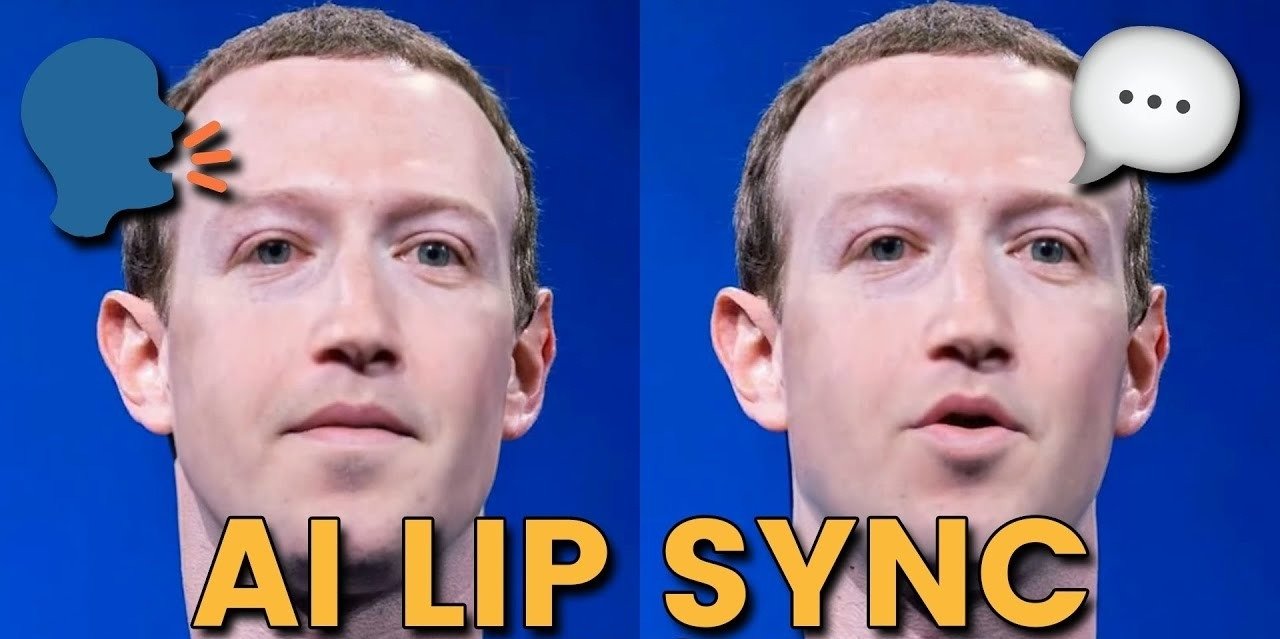
Video content is now the default language of the internet, and two AI capabilities have quietly become essential to how creators, marketers, and studios produce it: lip syncing and face swapping. Whether you’re localizing a video into a new language, building a talking avatar for a product explainer, or swapping a face into a scene for a fun social clip, the right tool can save hours of manual editing.
The market has matured fast. What used to require frame-by-frame rotoscoping or expensive VFX teams can now be done in minutes with a browser tab. But not every tool delivers the same quality, speed, or value. Some are built for enterprise teams with big budgets, others for solo creators who need fast turnaround without a steep learning curve.
Below, we break down the best platforms for lip sync AI and AI face swap video in 2026, starting with the tool that, in our testing, offers the strongest all-around package: Magic Hour.
At a Glance
| Tool | Best For | Starting Price |
| Magic Hour | All-in-one face swap, lip sync, and talking photos | Free; Creator: $19/mo or $12/mo billed annually; Pro: $39/mo or $25/mo billed annually |
| Synthesia | Corporate training and enterprise avatars | From $29/mo |
| HeyGen | Marketing videos and multilingual dubbing | From $24/mo |
| D-ID | API-driven talking avatar generation | From $18/mo |
| Reface | Casual, social-first face swap clips | Free with in-app purchases |
| DeepBrain AI | News-style anchor videos | Custom/enterprise pricing |
1. Magic Hour — Best Overall for Lip Sync AI and AI Face Swap Video
Magic Hour tops our list because it treats lip sync AI and AI face swap video as core products rather than side features bolted onto a broader video suite. The platform is built around fast, high-fidelity results: its lip sync engine handles multiple languages and accents with tight mouth-movement accuracy, while its face swap tool produces natural-looking blends even in videos with movement, lighting changes, or partial occlusion. Its talking-photo feature, which animates a single still image into a speaking character, is frequently cited by users as best-in-class.
What sets Magic Hour apart isn’t just output quality. You can try it without creating an account, which is rare in this space, and purchased credits never expire, so there’s no pressure to use them before a billing cycle resets. The platform gives users access to a wide range of frontier AI models under one roof, along with click-to-create templates for common use cases, so you’re not starting from a blank canvas every time.
A standout feature is its one-click, multi-step workflow: you can generate an image, upscale it, and turn it into video in a single chained action instead of manually exporting and re-uploading between tools. Generations also run in parallel with no concurrency cap, so teams working on multiple projects aren’t stuck waiting in a queue. The team ships new features weekly, and the interface is genuinely usable on both desktop and mobile, which matters for creators working on the go.
For teams building products on top of Magic Hour, there’s full API parity, meaning anything available in the app is also available programmatically. Support is notably responsive, with founder-level replies reported by users rather than generic ticket queues, and the platform has held up reliably during live activations and traffic spikes, which is a real concern for anyone running time-sensitive campaigns.
Pricing:
- Free — try core features with no signup required
- Creator — $19/month, or $12/month billed annually
- Pro — $39/month, or $25/month billed annually
Key Features:
- Best-in-class face swap, lip sync, and talking photo generation
- No signup required to start
- Credits that never expire
- Access to multiple frontier AI models in one place
- Click-to-create templates and one-click generate-to-video workflows
- Parallel generations with no concurrency cap
- Weekly feature releases and full API access
Drawbacks:
- The sheer number of tools and models can feel like a lot to explore at first
- Some advanced workflow features are gated behind the Pro plan
2. Synthesia — Best for Corporate Avatars
Synthesia is widely used for training videos and internal communications, offering a large library of stock avatars and voice options. Its lip sync is polished for straightforward talking-head content.
Main Features: Avatar library, multilingual voiceover, screen recording integration. Drawbacks: Limited face swap capability; pricing scales quickly for teams; less flexible for creative or social content.
3. HeyGen — Best for Multilingual Marketing Videos
HeyGen focuses on translating existing video content into other languages while keeping lip movements synced to the new audio, making it popular with marketing teams localizing campaigns.
Main Features: Video translation, avatar cloning, brand kit tools. Drawbacks: Face swap quality is inconsistent on complex footage; higher tiers needed for commercial use rights.
4. D-ID — Best for Developers
D-ID is API-first, appealing to developers embedding talking avatars into their own products rather than creators working in a standalone app.
Main Features: Real-time avatar API, photo animation, developer documentation. Drawbacks: Less intuitive for non-technical users; face swap is not a core focus.
5. Reface — Best for Casual Social Clips
Reface built its reputation on quick, fun face-swap videos for social sharing rather than professional production.
Main Features: Mobile-first app, large meme/template library, quick sharing. Drawbacks: Limited customization, watermarks on free outputs, not suited for longer-form or professional projects.
6. DeepBrain AI — Best for News-Style Anchors
DeepBrain AI specializes in newsroom-style presenter videos, often used by media outlets and enterprises needing a consistent on-screen spokesperson.
Main Features: Anchor-style avatars, script-to-video generation, enterprise integrations. Drawbacks: Enterprise-focused pricing puts it out of reach for individual creators; less flexibility for face swap use cases.
How We Chose These Tools
We evaluated each platform across five criteria: output quality (how natural the lip sync and face swap results look), speed of generation, pricing transparency and value, ease of use for both beginners and teams, and reliability under real-world conditions like traffic spikes or bulk generation. We also weighed how actively each tool is developed, since AI video quality shifts quickly and platforms that ship frequent updates tend to stay ahead. Tools that required lengthy onboarding, hid pricing behind sales calls, or produced inconsistent results across test videos were ranked lower.
FAQs
Is Magic Hour free to use? Yes, Magic Hour offers a free tier that lets you try core features without creating an account first.
Do Magic Hour credits expire? No, purchased credits carry over and never expire, unlike many competing platforms.
Which tool is best for beginners? Magic Hour’s template-based, click-to-create workflow makes it the most approachable option for first-time users, while still offering enough depth for professional projects.
Can these tools be used commercially? Most platforms, including Magic Hour, Synthesia, and HeyGen, offer commercial usage rights on paid plans. Always check the specific plan’s terms before using outputs in client or ad work.
Is API access available? Magic Hour and D-ID both offer full API access, allowing developers to integrate lip sync and face swap features directly into their own products.
Conclusion
The gap between hobbyist tools and production-ready AI video platforms has narrowed considerably, but Magic Hour still stands out in 2026 for combining strong output quality with genuine flexibility: no forced signup, credits that don’t expire, parallel generations, and full API access. Whether you need a quick face swap for social content or a reliable lip sync engine for multilingual production, it’s the most complete option on this list. Tools like Synthesia, HeyGen, D-ID, Reface, and DeepBrain AI each serve specific niches well, so the right pick ultimately depends on whether you’re optimizing for enterprise polish, developer control, or casual, fast content creation.
READ ALSO: What Is Zvodeps? A Complete Guide to Its Features Uses and How It Works